
Why On-Page SEO Tips Matter for Websites
On-Page SEO Tips help websites appear better on Google. They also help websites get more visitors. Many beginners think SEO is difficult, but simple changes can improve a website a lot.
On-page SEO means improving pages inside a website. This includes content, headings, images, keywords, and page structure. These improvements help both visitors and search engines.
Good SEO also makes websites easier to use.
Choose the Right Keywords
Keywords are words people type into Google.
A website should use keywords related to its topic.
For example, a blog about SEO should use words connected to:
- SEO
- website traffic
- Google ranking
- search results
Good places to add keywords:
- page title
- headings
- first paragraph
- meta description
- image alt text
Keywords should fit naturally inside content.
Too many keywords can make articles look spammy.
You can also read our guide on What is SEO and How Does It Work to understand SEO basics better.
Create Easy-to-Read Content
Visitors leave websites quickly when content feels confusing.
Simple writing keeps readers interested.
Good content should use:
- short sentences
- simple words
- small paragraphs
- clear headings
Easy articles improve user experience.
Search engines also prefer useful and readable content.
Use Clear Headings
Headings help organize information.
They also make articles easier to scan.
A good structure usually includes:
- H1 for the title
- H2 for main sections
- H3 for smaller topics
Clear headings improve readability and SEO.
Write Better Titles
The title is the first thing users notice on Google.
A strong title should:
- explain the topic clearly
- include the keyword
- stay simple
Example:
“Simple On-Page SEO Tips for Beginners”
Simple titles often get more clicks.
Add Internal Links
Internal links connect one page of a website to another page on the same website.
These links help visitors find more useful content.
For example, a blog about SEO tips can link to another article about website traffic or keyword research.
Internal links also help search engines understand website structure.
Optimize Images Properly
Images improve article appearance.
They also make content easier to understand.
Website owners should:
- compress images
- use proper file names
- add alt text
Example file name:
- on-page-seo-tips.jpg
Example alt text:
- “Simple On-Page SEO Tips”
Image optimization supports better SEO.
Improve Website Speed
Slow websites can frustrate visitors.
Many people leave pages that take too long to load.
Website owners should:
- reduce image size
- remove unnecessary plugins
- keep website design simple
Fast websites improve user experience and SEO performance.
Make the Website Mobile Friendly
Most people now use mobile phones to browse websites.
A mobile-friendly website should:
- load correctly on phones
- show readable text
- use simple menus
- work smoothly on smaller screens
Mobile-friendly websites perform better in search results.
Use Simple URLs
Short URLs look cleaner and easier to understand.
Good example:
- on-page-seo-tips
Poor example:
- article123?id=seo5678
Simple URLs improve readability.
They also help search engines understand the page topic.
Write Useful Content
Useful content helps websites grow.
Visitors stay longer on pages that provide clear answers.
Good articles should:
- answer common questions
- explain topics clearly
- provide useful information
Helpful content improves trust and engagement.
Avoid Keyword Stuffing
Some beginners repeat keywords many times.
This is called keyword stuffing.
Keyword stuffing makes content difficult to read.
Search engines prefer natural writing.
Keywords should appear smoothly inside the article.
Add Meta Descriptions
Meta descriptions appear below page titles in Google search results.
They help users understand page content before clicking.
A good meta description should:
- stay short
- explain the article clearly
- include the focus keyword naturally
Simple descriptions can improve clicks.
Add External Links Carefully
External links connect to trusted websites.
These links can improve article quality.
Website owners should only link relevant and trusted sources.
Too many unnecessary links can distract readers.
Update Old Content
Old blog posts may lose value over time.
Website owners should update older content regularly.
Updates can include:
- better information
- fresh examples
- improved keywords
- new headings
Updated pages often perform better in search results.
Focus on User Experience
SEO is not only about search engines.
Visitors also matter.
People prefer websites that are:
- simple
- clean
- easy to navigate
A good user experience helps visitors stay longer on a website.
Track SEO Performance
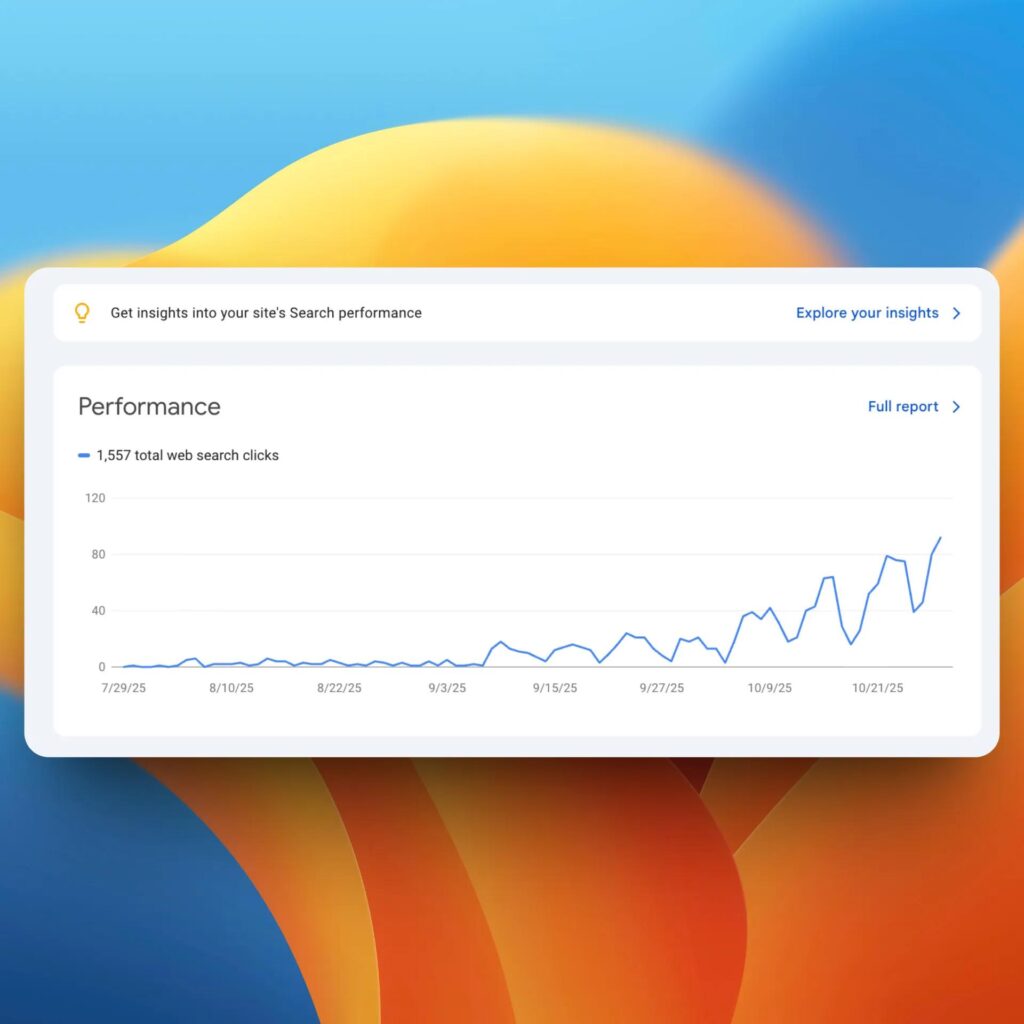
Many website owners use Google Search Console to monitor website performance and indexing.
Website owners should check SEO performance regularly.
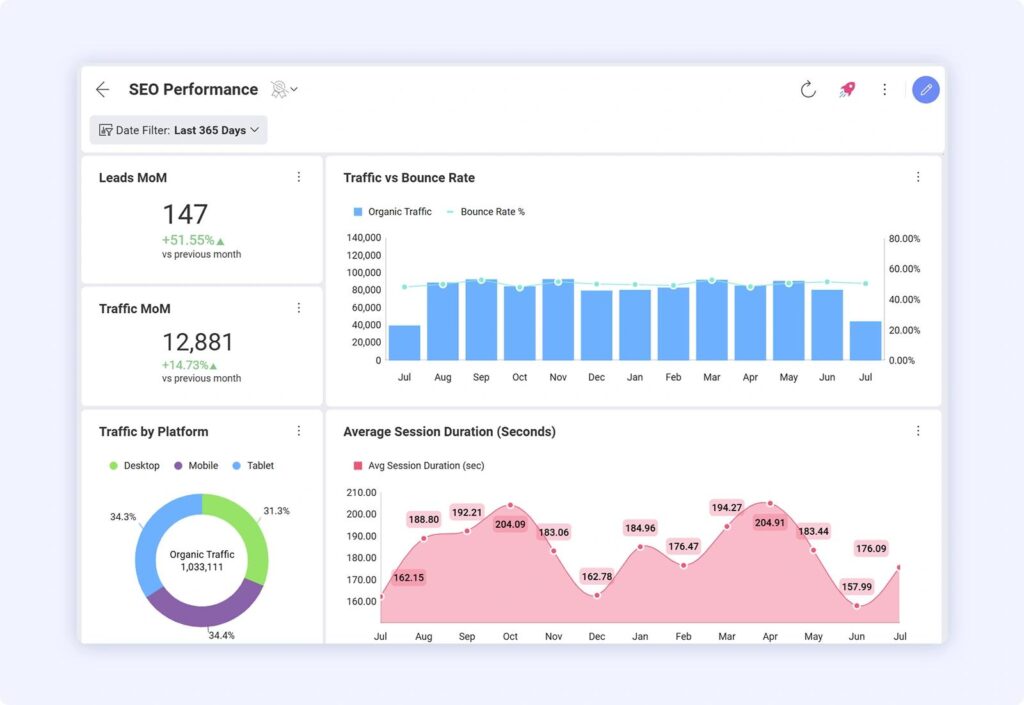
Tools like Google Analytics and Google Search Console help track:
- website visitors
- traffic sources
- popular pages
This information helps improve future content.
Why On-Page SEO Tips Are Important
On-Page SEO Tips can help websites improve search visibility and reach more people online. Beginners who learn simple SEO methods can improve their website step by step.
Small SEO improvements can support long-term website growth.
Final Thoughts
On-page SEO does not need to feel confusing. Simple changes in content, keywords, images, and website structure can improve website performance over time.
Good content and basic SEO can help websites get more visitors online.
Frequently Asked Questions
What are On-Page SEO Tips?
On-page SEO tips help improve website pages for better Google ranking.
Why is on-page SEO important?
On-page SEO improves website visibility and user experience.
How can beginners improve on-page SEO?
Beginners can improve SEO with keywords, headings, and quality content.
Does image optimization help SEO?
Yes, optimized images can improve website speed and SEO.
How many keywords should I use in an article?
Keywords should appear naturally without keyword stuffing.